Bot support when you need it
Bot supports repetitive operations on the computer when users need it.
- Activate
- User enabled
- Execution environment
- User computer
 PROCESS AUTOMATION
Process automation handles repetitive tasks across applications, reducing manual data entry and reconciliation.

Integration Architecture
Workflows are designed in Brity Designer, centrally orchestrated, and executed across enterprise applications.
Process automationBrity RPA · Samsung SDSSchedules · Queues · Bot lifecycle
Centralized credential management
API · Database · File · E-mail
Server · Cloud · Bot running environment
Main functions
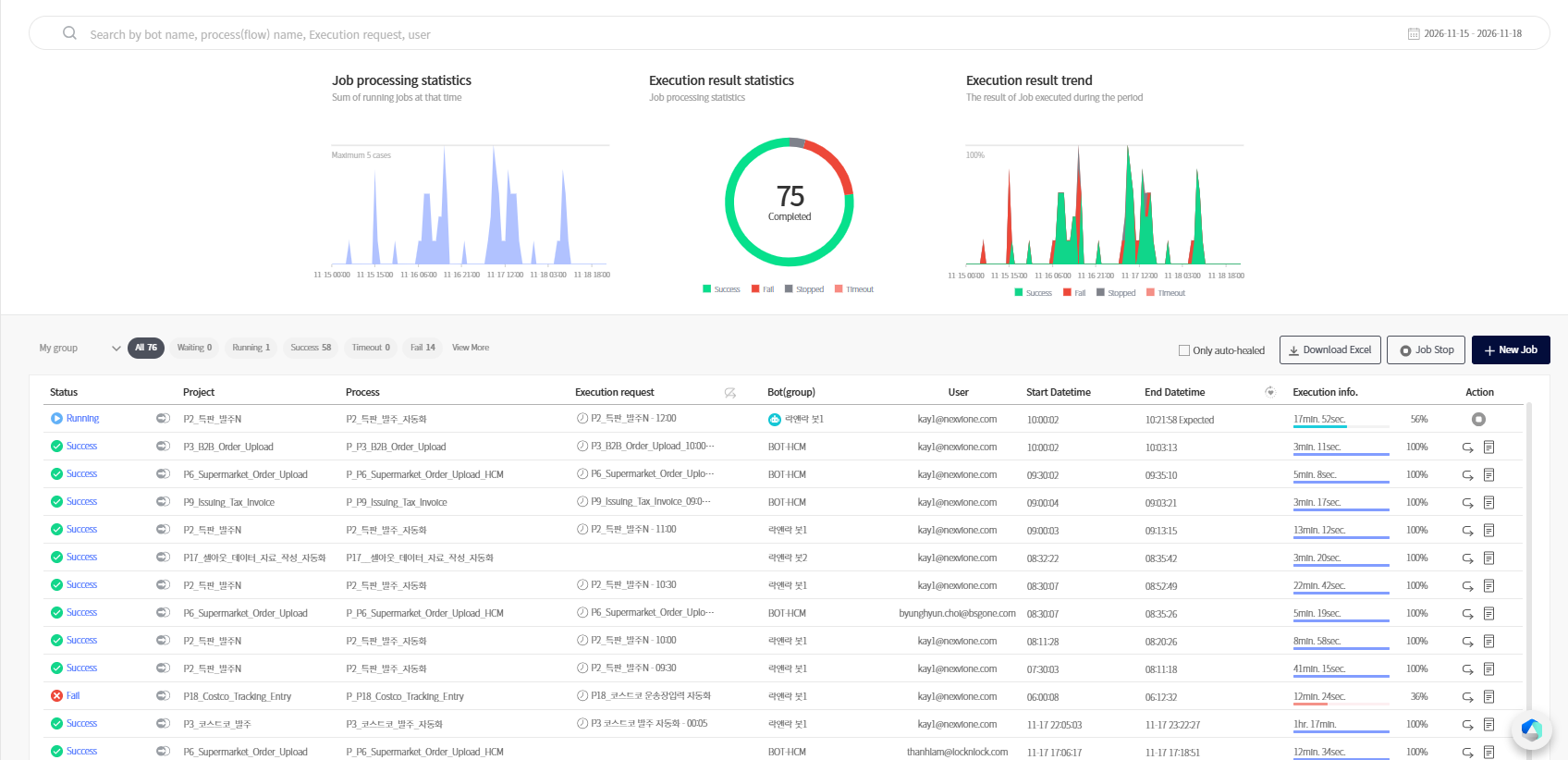
Design workflows, execute application tasks, and monitor bots from one place.
Bots read, enter, and transfer data across existing applications.
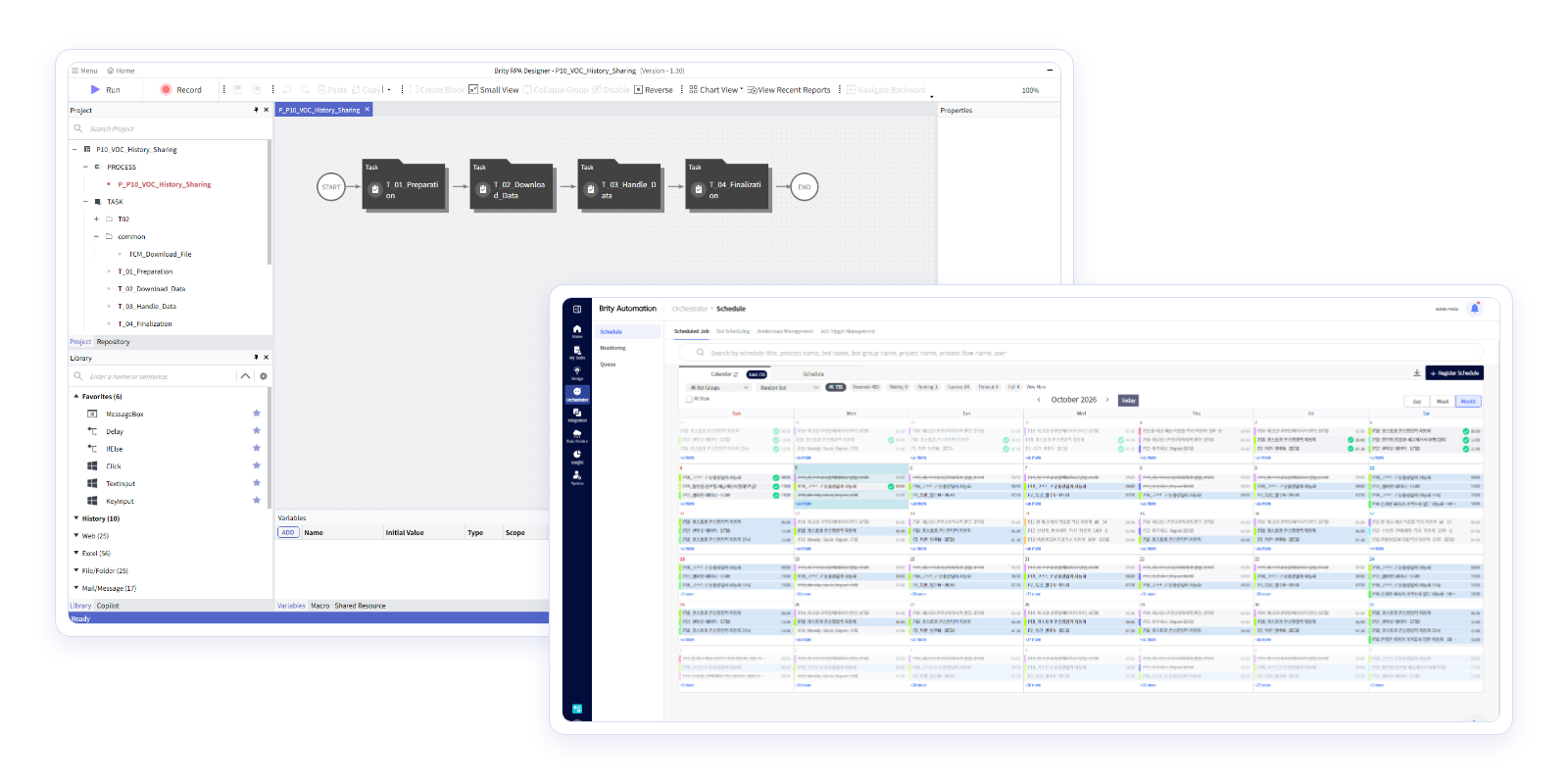
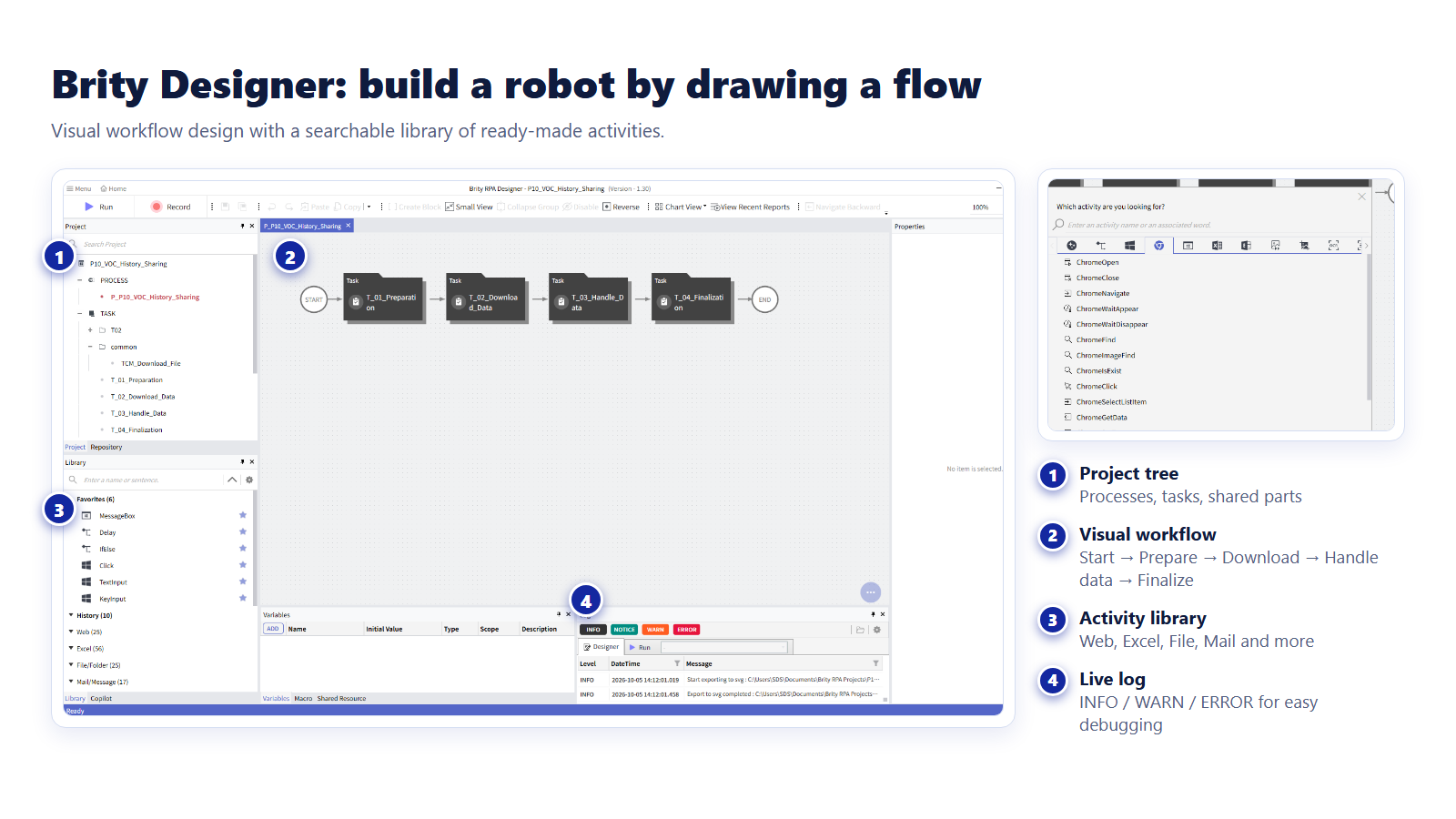
Use Brity Designer to build processing steps and execution conditions for the bot.
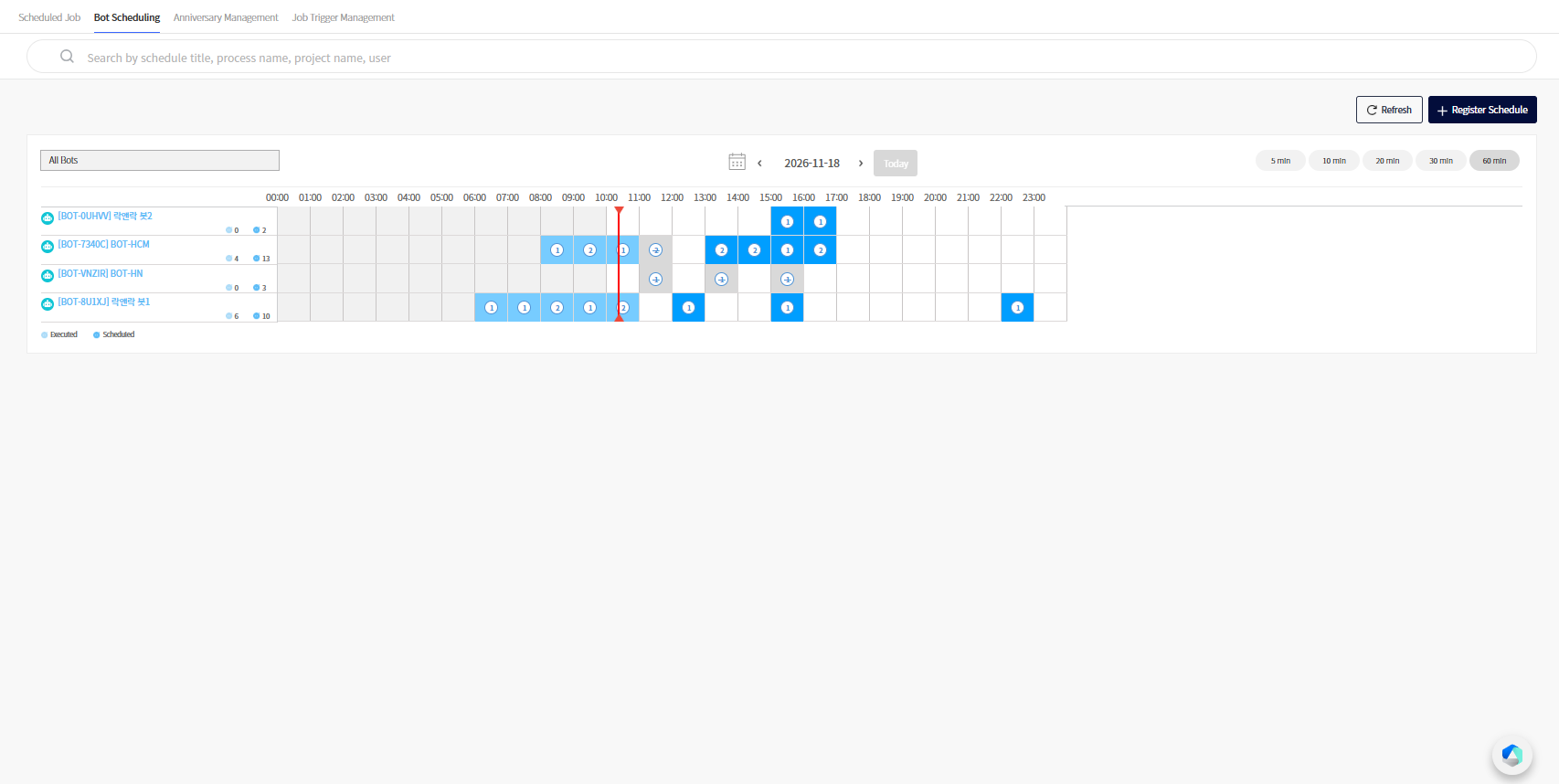
Manage run schedules, distribute jobs, and track bot status.
Recognize and process content from e-mail and PDF to prepare data for bots.
Extract the order number, order date, supplier code, contract and Ad.Ch from this document.
Extracted five order fields and prepared the data for bot processing.
{ "Order No": "2646060248127",
  "Order Date": "17/11/26 00:00",
  "Supplier Code": "3005248",
  "Com.Contract": "A8530120", "Ad.Ch": "1" }
Bot operating model
Choose according to activation method, execution environment, and level of user involvement.
Bot supports repetitive operations on the computer when users need it.
Combine steps the bot handles on its own with steps that require user participation.
Suitable for batch work and periodic reporting.
Value for business
Let the bot perform data entry, reconciliation and periodic reporting, helping the team focus on work that requires expertise.
The bot operates according to the designed process, helping to reduce data entry errors and reprocessing work.
Monitor run schedules, exceptions, and processing history to check when needed.
Start with one process, then increase the number of bots and processing scope according to actual volume.
Implementation plan
ON-PREMISE
Deploy on enterprise infrastructure, manage accounts and bot running environments according to internal policies.
CLOUD/SAAS
Manage running schedules and track bots via the cloud platform, reducing the need to invest in servers for the coordination system.
CPU4–16 cores
RAM16–64 GB
SSD20–200 GB
Operating systemWindows Server/Linux
DatabaseSQL Server / PostgreSQL / Oracle
Actual configuration depends on number of bots, processing load and deployment model.
Example application
Explore projects in data automation and operational monitoring.

Scheduled collection of real-estate data from multiple websites reduces manual work and avoids duplicate processing.
View project
Keeper connects IP cameras, anomaly alerts and remote monitoring to support security management across multiple stores.
View project